Example of SOAP Action format for synchronous BizAPI call: SOAPAction: urn:soap_access_provider:GET_TEST_ORDER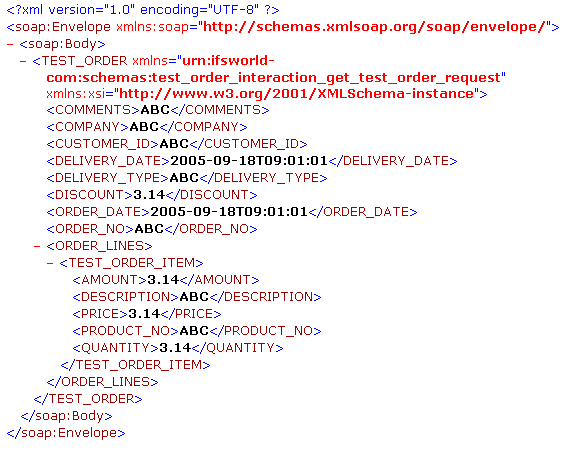
If the SOAP Gateway should invoke the Service or Activity direct the HTTP request must follow the IFS SOAP Access Provider format. The SOAP Access Provider format specifies following three conditions.
- For calling synchronous BizAPI's :
urn:soap_access_provider:BizAPI_Name- For calling asynchronous BizAPI's :
urn:soap_access_provider:BizAPI_Name/post- For calling activities :
urn:soap_access_provider:Activity_Name:Operation_Name
Example of SOAP Access Provider request format :
Example of SOAP Action format for synchronous BizAPI call: SOAPAction: urn:soap_access_provider:GET_TEST_ORDER
Example of SOAP Action format for asynchronous BizAPI call:
SOAPAction: urn:soap_access_provider:RECEIVE_TEST_ORDER/post
Example of SOAP Action format for Activity call
SOAPAction:
urn:soap_access_provider:Application_Queue_Definition:Get_Application_Queue
An synchronous request is sent to IFS SOAP gateway which calls
the actual BizApi or Activity.
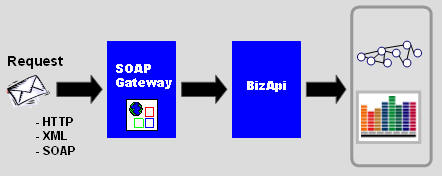
View example of an inbound synchronous soap message.
The the actual Bizapi or Activity will be executed.
A response message with the
result is returned to the sender.
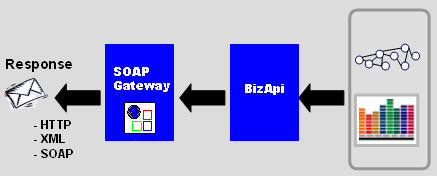
View example of a response message
If user or password not is authorized:
Post error: 401 Unauthorized
If the URL is incorrect:
Post error: 404 Not Found
Application errors from SOAP gateway:
HTTP: 500 Internal Server error
and a SOAP error response message that follows the SOAP standard.
This message contains the detailed error description.
View example of an SOAP error
message
An asynchronous message is sent to IFS SOAP gateway.
The message will be posted to the IFS queue-system with the BizApi name in the
address data.
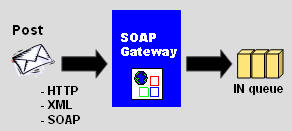
View example of an inbound asynchronous
soap message.
The message is successfully posted the IFS queue system.
A response message is returned
to the sender.
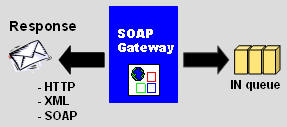
View example of a asynchronous response
message
If user or password not is authorized:
Post error: 401 Unauthorized
If the URL is incorrect:
Post error: 404 Not Found
If the queue not is available:
HTTP: 500 Internal Server error
and a SOAP error response message that follows the SOAP standard.
This message contains the detailed error description.
View example of an SOAP error
message
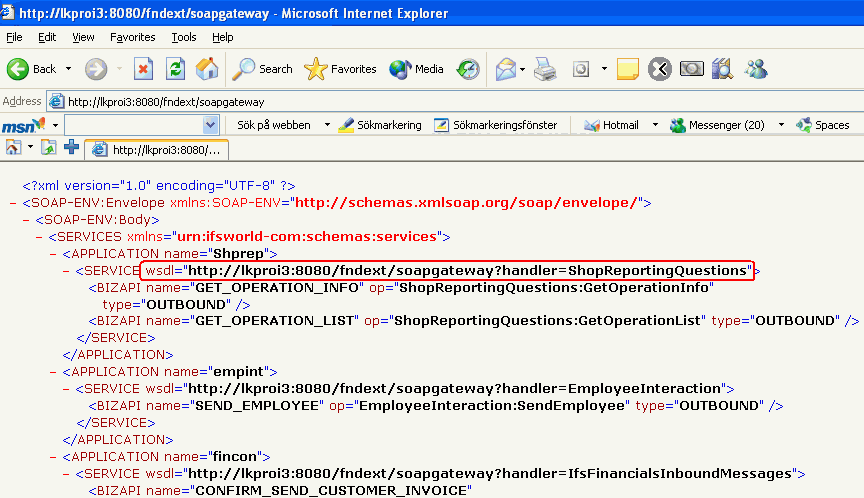
A list of all installed Bizapi's in the system can be queried in runtime
with an ordinary HTTP get.
Use your Internet Explorer and test. The returned list will show you the urls to
all WSDL definitions for the service handlers.
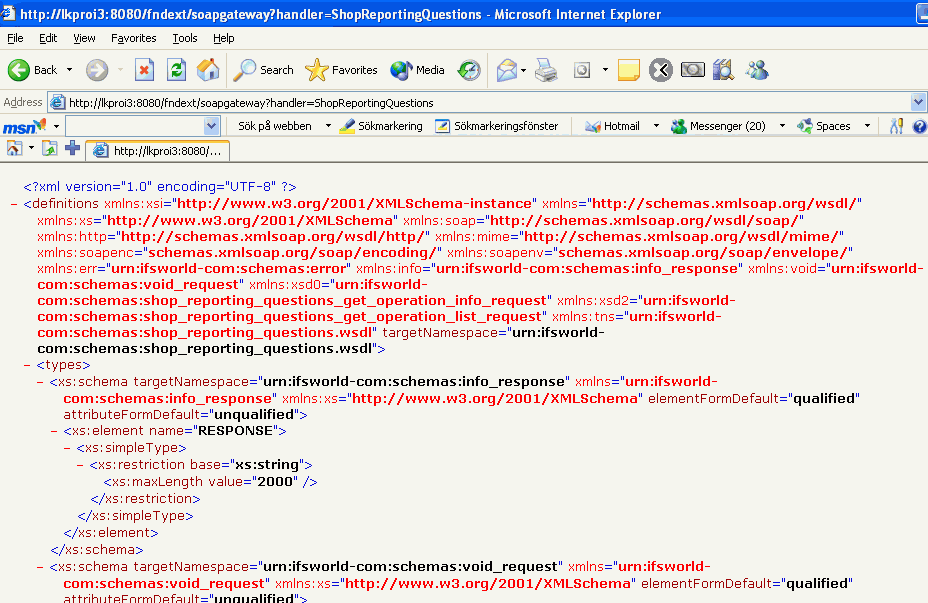
It's also possible to download a specific handler with it's webservice
definition file.
It's possible to fetch a lot of information from the SOAP Gateway by using
it's HTTP Get operation.
The table below will show you all possibilities you have in runtime.
|
Description |
URL |
|---|---|
| A summary of all BizApi's in the system | http://host:port/fndext/soapgateway |
| A WSDL file for a handler |
http://host:port/fndext/soapgateway?handler=MyHandler |
| A schema(XSD) file for the message request |
http://host:port/fndext/soapgateway?handler=MyHandler&op=MyOp&type=xsd_requestor |
| A schema(XSD) file for the message response |
http://host:port/fndext/soapgateway?handler=MyHandler&op=MyOp&type=xsd_responseor |
| A xml-example for the message request |
http://host:port/fndext/soapgateway?handler=MyHandler&op=MyOp&type=xml_requestorhttp://host:port/fndext/soapgateway?bizapi=MY_BIZAPI&type=xml_request |
| A xml-example for the message response |
http://host:port/fndext/soapgateway?handler=MyHandler&op=MyOp&type=xml_responseorhttp://host:port/fndext/soapgateway?bizapi=MY_BIZAPI&type=xml_response |