Connector Readers
How to develop and
deploy a Connector Reader
The Connector Readers handle the inbound messages from other systems. For the protocol adaptation there are distinct readers exists for each protocol. For more details on connector readers see included transport connectors.
Each reader will run in a separate thread when the connect server is started.
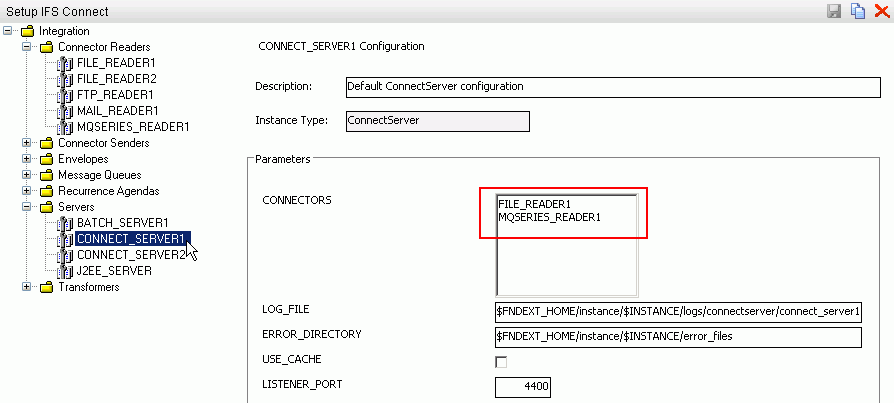
You can specify which reader thread to start with by a given connect server
instance at the connect configuration
feature in CONNECTORS textbox.
Update and merged the deployment steps with development steps.
When default Connector Readers that comes with Extended Server doesn't cater a given instance of any inbound message, you can develop a new Connector Reader.
Configuration xml file will contain general connector reader parameters. You can define any other parameters that are used in your reader. e.g. MY_PARAMETER
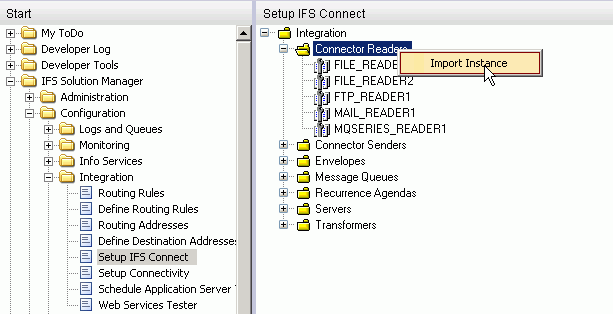
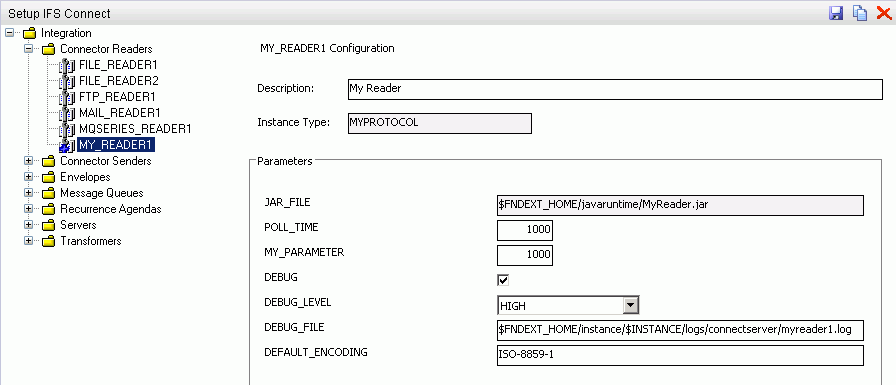
Now your MY_READER1 configuration instance is ready to be used with a connector reader.
$MODULES_ROOT\mymodule\source\mymodule\connectors
folder.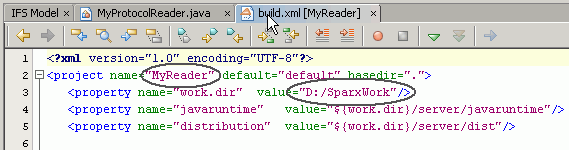
Manifest-Version: 1.0
Created-By: IFS Research & Development AB
Receiver-class: connectreaderexample.MyProtocolReader
MyProtocolReader.java in
connectreaderexample
to perform the read operation.MyReader.jar file in project's dist folder to
$FNDEXT_HOME/javaruntime
directory.CONNECTORS attribute of your connect
server instance.